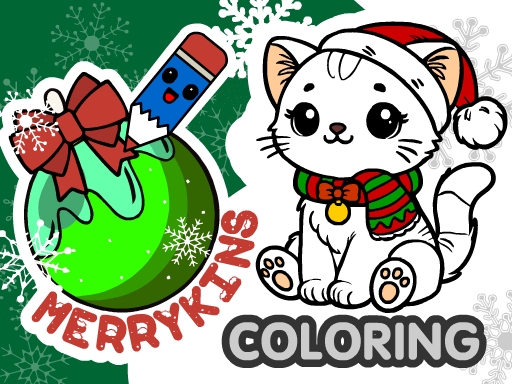
MerryKins Coloring: Unleash Your Creativity This Christmas!
Get into the holiday spirit with MerryKins Coloring, a heartwarming winter coloring game from Juegos that's perfect for kids and adults alike! This festive game lets you pick your favorite colors and paint charming seasonal illustrations, complete with cheerful music to put you in the mood. Whether you're a fan of drawing, coloring, or just looking for a fun and educational activity, MerryKins Coloring has something for everyone.
Mechanics: Easy to Pick Up, Hard to Put Down
The controls in MerryKins Coloring are simple and intuitive, making it easy for anyone to jump in and start creating. You can use a variety of tools, including pencils, brushes, and fill options, to bring your winter wonderland scenes to life.
- Use left mouse button or touch to pick tools and color
- Zoom with mouse wheel or pinch gesture
- Tap the question mark for tool tips
- Save progress with the floppy disk icon
- Save finished picture to device & share with friends
Strategy: Tips to Keep You Hooked
As you work through the 30 delightful winter scenes, you might find yourself looking for ways to make your pictures truly special. Try experimenting with different color combinations, or use the random fill mode to add some surprise to your artwork. You can even use the eyedropper tool to match colors and create a cohesive look. And don't forget to save your favorite pictures as JPG files to share with friends and family!
If you're looking for a fun and creative way to celebrate the holiday season, look no further than MerryKins Coloring. With its cute cat characters, Christmas trees, and Santa Claus illustrations, this game is sure to bring a smile to your face. So why wait? Head over to MerryKins Coloring and start creating your own winter wonderland today! Or, visit the Juegos homepage to explore more fun games like this one. With MerryKins Coloring, you'll be drawing, coloring, and having a blast in no time!
mdash Use left mouse button or touch to pick tools and color mdash Zoom with mouse wheel or pinch gesture mdash Tap the question mark for tool tips mdash Save progress with the floppy disk icon mdash Save finished picture to device amp sha