Controls
- Use the left mouse button to build
- Use Ctrl to get an overview
- Use Z to move the camera around the surface
- Turn the mouse wheel to zoom in
- Use the arrow keys to move the camera forward, back, left, and right
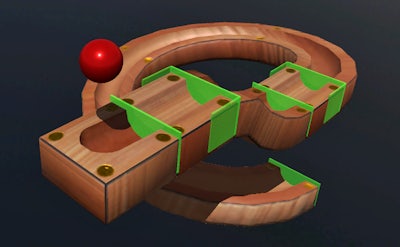


Picture a sleek 3D sandbox where every curve and ramp obeys real‑world physics. That’s Marble Run. You design a track from the sky down to the floor, then watch a single marble sprint, bounce, and spin through every twist you imagined. The thrill comes from seeing your logic pay off in seconds of pure motion. It’s not just a game; it’s a hands‑on physics lab that sharpens the brain while you have fun. If you love puzzles that feel like an educational experiment, this simulation hits the sweet spot.
Getting started is instant. Grab a piece, place it, and watch the marble obey your design. Master the interface and you’ll be stacking loops faster than you can say “gravity.”
Every piece you add changes the marble’s speed, angle, and momentum. Start simple: a straight drop, then a gentle curve. Test, tweak, repeat. The game rewards players who think ahead—place a loop before a steep decline, or a splitter to create a branching path. As you progress, new components unlock, demanding deeper logic and tighter timing. Keep an eye on the physics meter; too much velocity and the marble flies off the track. The addictive loop of building, testing, and refining makes each session feel like a new puzzle for your brain.
Ready to prove your engineering chops? Jump into Marble Run now and let Juegos fuel your next construction obsession. Build, test, dominate—your marble empire awaits.