Controls
- WASD to move
- Z, X, C, V, or Y to place platforms
- R to rotate stair
- Left mouse button to place platforms
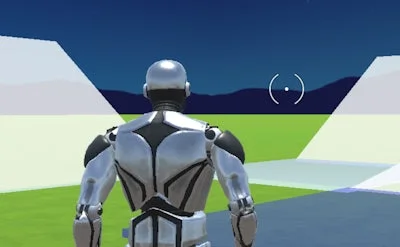


JustBuild.LOL throws you into a frantic 1‑v‑1 arena where speed and precision matter more than firepower. Every match is a race against an opponent who’s trying to out‑build you, block your path, and claim the high score. If you love quick reflexes, creative Building, and a sleek 3D playground, this title hits the sweet spot. One‑player practice modes let you hone your platform placement before stepping into the hot‑seat, so you never feel outgunned.
Master the keyboard and mouse combo to dominate the arena. Moving your avatar is simple: WASD lets you sprint, while the keys Z, X, C, V, and Y drop platforms wherever you need them. Rotate stairs with R, and fire off a platform with a left‑mouse click. The whole system is designed for lightning‑fast builds that keep the action flowing.
Strategic depth hides behind the simple controls. Start each round by claiming high ground—elevated platforms give you a sight advantage and force opponents to build upward. Mix flat slabs with angled stairs to create choke points that slow enemy movement. In solo practice, focus on building chains of platforms that let you traverse the map without touching the ground; the longer you stay airborne, the higher your score climbs. Keep an eye on your opponent’s platform placement; a well‑timed block can turn a winning run into a sudden defeat.
Ready to stack, smash, and out‑build the competition? Jump into JustBuild.LOL now and see why Juegos fans are calling it the most addictive 1 Player building challenge on the market. Build fast, think faster—your next victory is just a platform away.