Controls
PC Controls
Use a mouse and keyboard to play the game.
Mobile Controls
Tap and drag on the screen to play the game.
Use a mouse and keyboard to play the game.
Tap and drag on the screen to play the game.
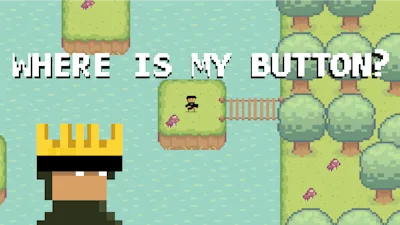


Lost a button? Find it fast. This 2D, top‑down arcade puzzler tests your logic with every click. Each level hides a single button among chaotic pixels. Miss it and you restart. The thrill comes from the hunt, not the story. If you love quick brain‑busts and a good laugh – lol – this game delivers pure, bite‑size satisfaction.
The control scheme is dead simple. Master it, then focus on the puzzles.
Start in Chill mode. Scan the pixel grid for patterns. The button rarely sits in the center – it loves corners. Use the mouse to hover and reveal hidden outlines. In Speed Run, every millisecond counts. Memorize the layout of each level. Spot recurring traps: moving walls, blinking tiles, and decoy icons. When you see a familiar shape, trust your gut and click fast. Keep an eye on the timer; a perfect run lands you on the leaderboard. Upgrade your focus by playing a few rounds in each mode – the brain learns faster than you think.
Ready to prove you can track a button through chaos? Jump straight into Where is My Button? and start crushing puzzles today. Juegos brings you this addictive arcade, polished in crisp pixel art and razor‑sharp logic. Grab your mouse, tap your screen, and let the button hunt begin. Play now and see why everyone’s saying lol at the clever twists. Juegos has the perfect mix of challenge and fun – don’t miss out.
Use a mouse and keyboard to play the game.
Tap and drag on the screen to play the game.