Other Games

Game Categories

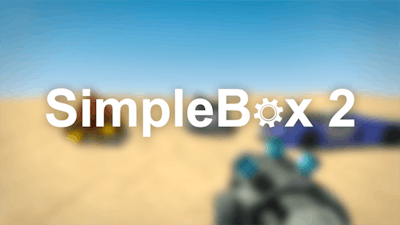
SimpleBox 2 – The Ultimate Sandbox Playground

Imagine a 3D simulation where the only rule is your imagination. SimpleBox 2 drops you into a physics‑driven sandbox with zero objectives, endless tools, and the freedom to build anything from a rickety catapult to a sleek hovercar. No missions, no timers, just raw creation. If you love constructing crazy contraptions or testing the limits of virtual physics, this is the playground you’ve been waiting for.

Mastering the controls is the first step to total creative control. The game’s layout is clean, and every key does exactly what it says. Grab the list below, memorize the shortcuts, and start shaping your world:

  • WASD = walk
  • Space = jump
  • Tab = spawn menu
  • Q = change weapon
  • Z = undo
  • E = sit on car / chair
  • R = rotate
  • Left‑click = take object / use tool
  • Right‑click = freeze object
  • 1‑9 = activate tools
  • Esc = pause
SimpleBox 2 Gameplay

Strategic Play & Endless Replay

Success in SimpleBox 2 isn’t about beating a boss; it’s about out‑thinking physics. Start small—stack a few blocks, test balance, then scale up. Use the rotate function to align gears, the freeze command to lock moving parts, and the undo key to scrap a bad idea instantly. Experiment with different material combos; some textures add weight, others reduce friction. The more you tinker, the deeper the simulation feels, and the more addictive the building loop becomes.

Take the Box, Build the Dream

Ready to turn chaos into masterpiece? Jump into SimpleBox 2 and let the sandbox fuel your creativity. Juegos delivers a polished, endlessly replayable experience that rewards curiosity and clever design. Grab your mouse, hit those keys, and start constructing the most insane vehicle, rocket, or puzzle you can imagine. The only limit is how far you’re willing to push the physics engine. Build, test, break, rebuild—repeat. Your next great creation is just a click away.


Instructions:

Controls

  • WASD = walk
  • Space = jump
  • Tab = spawn menu
  • Q = change weapon
  • Z = undo
  • E = sit on car / chair
  • R = rotate
  • Left-click = take object / use tool
  • Right-click = freeze object
  • 1-9 = activate tools
  • Esc = pause
Customise Consent Preferences Close

We use cookies to help you navigate efficiently and perform certain functions. You will find detailed information about all cookies under each consent category below.

The cookies that are categorised as "Necessary" are stored on your browser as they are essential for enabling the basic functionalities of the site.

Always Active

Necessary cookies are required to enable the basic features of this site, such as providing secure log-in or adjusting your consent preferences. These cookies do not store any personally identifiable data.

Functional cookies help perform certain functionalities like sharing the content of the website on social media platforms, collecting feedback, and other third-party features.

Analytical cookies are used to understand how visitors interact with the website. These cookies help provide information on metrics such as the number of visitors, bounce rate, traffic source, etc.

Advertisement cookies are used to provide visitors with customised advertisements based on the pages you visited previously and to analyse the effectiveness of the ad campaigns.

We also use third-party cookies that help us analyse how you use this website, store your preferences, and provide the content and advertisements that are relevant to you. These cookies will only be stored in your browser with your prior consent.

You can choose to enable or disable some or all of these cookies but disabling some of them may affect your browsing experience.