Controls
- Arrow keys = move
- Hold shift = run
- Hold X = move slowly
- Space = interact with an object
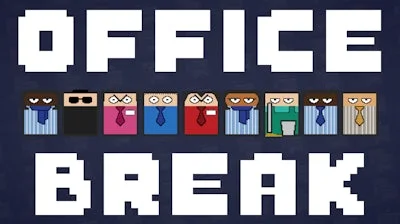


Stuck in a cubicle, you’ve got one mission: hit the bathroom before the boss catches you. The office is a maze of desks, gossiping coworkers, and nosy supervisors. Every step could mean a laugh‑out‑loud “Lol” from a teammate or a swift reprimand. The tension is real, the humor is sharp, and the stakes? A simple passcode that unlocks the restroom. If you love quick‑fire challenges that test your skill, this is the perfect break from the daily grind.
Master the controls and turn the office into your playground.
Success hinges on timing and route planning. Memorize the patrol routes of supervisors; they repeat, giving you windows to avoid detection. Use the “hold X” trick to slip by coworkers who love to linger near the printer. Collect hidden notes for extra hints on the passcode – they’re scattered like secret power‑ups. As you progress, the office layout expands, introducing new obstacles like security cameras and locked doors that demand a quick‑think approach. The more you play, the sharper your reflexes become, turning each run into a satisfying skill test.
The office won’t wait, and neither should you. Jump into Office Break through Juegos and prove you can outsmart every supervisor, avoid every chatty coworker, and claim that coveted bathroom break. Your next high score is just a sprint away.