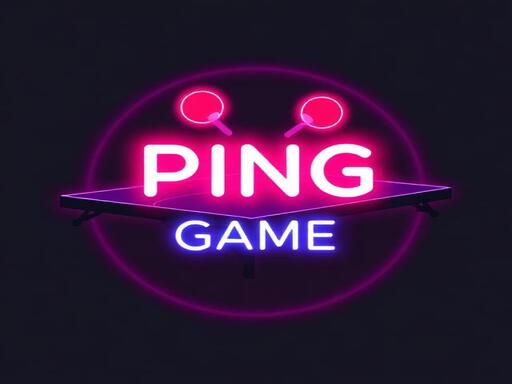
Neon Ping Pong: Light Up the Court with Retro-Futuristic Flair
Neon Ping Pong brings back the golden era of arcade action with a high-octane twist. This Sports classic gets a full 2025 games upgrade with eye-popping visuals, competitive 2 Player mode, and a control scheme that keeps your reflexes sharp and your pulse high. Whether you're battling a buddy on the couch or taking on the AI, this is the ultimate Action game for fans of fast-paced fun. Juegos delivers a title that’s easy to pick up, hard to put down—perfect for quick matches or long sessions of head-to-head rivalry.
How Neon Ping Pong Works
Get a grip on the controls and you’re ready to blast into the match. Neon Ping Pong keeps it simple with intuitive movement and responsive touch controls, making it accessible for casual gamers and a blast for pros. Here’s how it plays out:
- Player 1 – Left Paddle: Use the W key to move up and the S key to move down. Alternatively, move your mouse or drag your finger on the left half of the screen.
- Player 2 – Right Paddle: Use the arrow keys (↑ for up, ↓ for down) or move your mouse or drag your finger on the right half of the screen.
- Ball speed increases with every point, forcing both players to stay on their toes.
- AI Ranks: Take down increasingly tough AI opponents in solo mode—each one pushes your skills harder than the last.
Winning Strategies for Neon Ping Pong
Speed and timing are everything in Neon Ping Pong. While the basics are simple, mastering the game means learning how to adapt and outplay your opponent. Positioning is key—keep your paddle centered and ready to react. Watch the ball’s angle and speed, and anticipate where it’ll go next. In 2 Player mode, communication and quick reflexes can turn the tide. For solo play, use the Settings Menu to tweak paddle size and ball speed, creating the perfect balance of challenge and control. The more you play, the better you get—Juegos designed this one to keep you hooked match after match.
Feeling the heat? Head over to Neon Ping Pong now and join the most electrifying 2 Player Games in 2025. Test your skills, challenge a friend, or master the AI—this is where the Action meets the screen, and the court lights up with every bounce. Don’t miss your chance to shine in the neon glow. Play. Win. Repeat. Only at Juegos.
Player 1 Left Paddle Keyboard Use the W key to move the paddle up and the S key to move the paddle down Mouse Touch Move the mouse or drag your finger on the left half of the screen to control the paddle position Player 2 Right Paddle - 2-Player M