Controls
- Left mouse button = Select from context menus (upgrades, traps, dispensers)
- Arrow keys = Move camera
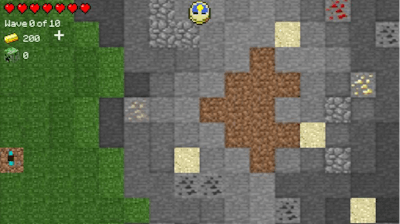


Blocky mobs are marching, and your base is the last line of defense. In this high‑octane Top‑Down Tower Defense built on the iconic Minecraft universe, every wave feels like a sprint against relentless creepers, wolves, and zombies. Miss a single upgrade and the night swallows your home. Survive, and you’ll earn the bragging rights that only a true defender can claim.
Controls & Core Gameplay
Set your path, line up dispensers, and watch the hostile horde follow the same route you plotted. Each level throws a new layout—some pre‑made, some open‑ended—forcing you to think on the fly. Resources are scarce, so every decision counts.
Start with basic arrow towers, then upgrade to flame‑throwers that melt creepers in seconds. Position ice traps to slow the toughest zombies, and place redstone dispensers for burst damage. The key is balancing cheap, fast‑fire units against pricey, high‑damage artillery. Early waves teach you the rhythm; later waves demand combo chains and precise timing. Keep an eye on the resource meter—spending everything early guarantees a quick loss, while hoarding leaves you defenseless.
Every cleared stage unlocks a new biome, each with its own enemy mix and environmental hazards. Night maps add limited visibility, forcing you to rely on flare towers. Daily challenges throw random modifiers—double‑speed mobs, limited upgrades, or a “no‑trap” rule—so the game never feels stale. Leaderboards track your best scores, and the Flash engine ensures buttery‑smooth action on any browser.
Ready to prove you can protect a pixelated fortress? Jump straight into the action with Minecraft Tower Defense 2 and experience the thrill that only Juegos can deliver. Your base is counting on you—don’t let it fall.