Divide Puzzle Arcade – Fast‑fire Fun in One Swipe
In Divide Puzzle Arcade, a bright ball rolls across a neon grid, and it’s your job to slice the path before the sphere smashes into a wall. One swipe, one split, endless tension. Miss the cut and the ball bounces back, resetting the level. The thrill lies in the split‑second decision: where to place the divider, how far to stretch it, and when to let the ball roll. This hyper‑casual puzzle drops you into a pure reflex test, perfect for a quick break or a marathon session. If you crave an arcade‑style challenge that fits on any site, this title is a must‑play.
How It Works
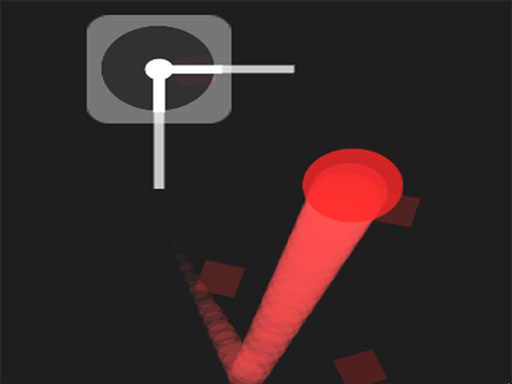
Control the divider with a simple mouse gesture. Drag, aim, and release—nothing else. The interface is clean, the feedback instant. No buttons, no menus, just pure action. The game runs on HTML5, so it loads in seconds and works flawlessly across browsers. It’s also an ideal pick for free html5 games for your website or any html games for your website collection.
Winning Moves
Mastering Divide Puzzle Arcade isn’t about brute force; it’s about timing and geometry. Watch the ball’s speed ramp up—early levels teach you the rhythm, later stages crank the pace. Aim for the center of the grid to maximize the split area, giving the ball room to travel before the next divider appears. Keep an eye on the upcoming obstacles; anticipating their placement lets you pre‑position the divider for a clean cut. As you progress, the puzzle introduces multiple balls and moving walls, turning each round into a layered challenge. The key is to stay calm, plan two moves ahead, and adjust the divider angle on the fly. This keeps the gameplay fresh and the leaderboard competitive.
Ready to add a slice of high‑octane arcade action to your collection? Head over to Juegos and embed this Divide Puzzle Arcade title today. The game’s lightweight HTML5 build means it won’t slow down your site, and its addictive loop guarantees repeat visits. Grab the controller, split the screen, and let the ball roll—your next gaming hit is just a swipe away.
Swipe Mouse to play