Teleport Blade: Ninja Strike – Fast, One‑Touch Ninja Action
In this 3D Action arcade you become a stealth assassin who throws a sword and instantly teleports to its landing spot. Each throw feels like a burst of skill, letting you cut through waves of enemies before they even notice you. The looped levels keep the pressure on, and every fifth stage throws a boss at you that demands precise timing. Play on desktop, HTML5 browsers, or Mobile and feel the rush of a true fighting experience.
Teleport Blade: Ninja Strike – Core Mechanics
The control scheme is built for quick reflexes. Whether you use a mouse or a touchscreen, the game slows time while you line up the perfect throw.
- Mouse press and hold the left mouse button anywhere to aim; time slows down, drag to set the throw direction, release to throw your blade and teleport to it.
- Touch, touch and hold to aim; drag to set the direction, lift your finger to throw and teleport.
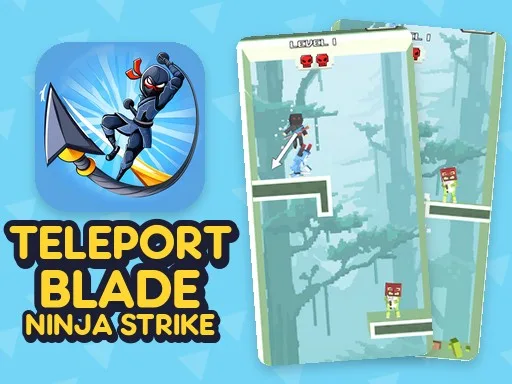
Teleport Blade: Ninja Strike – Strategy & Progression
Mastering the game hinges on three habits. First, watch enemy patterns. Some patrol platforms, others hide behind shields, and a few fire guns or bazookas. Knowing when a foe will expose a weak spot lets you teleport behind them for a lethal strike. Second, manage your coins. Every enemy drops loot; spend it on new ninja outfits, upgraded swords, or throwing knives that increase damage and range. Third, practice the timing of your slow‑motion aim. The longer you hold, the tighter the trajectory, but lingering invites counter‑attacks. As you clear the 25 handcrafted stages, the difficulty ramps up, introducing faster projectiles and tighter corridors. The WebGL‑powered graphics stay crisp on any device, and the HTML5 foundation guarantees smooth performance on Mobile browsers.
Ready to slice, throw, and teleport your way to victory? Jump into the action now and see why Juegos crafted a title that feels fresh every time you replay a level.
Mouse press and hold the left mouse button anywhere to aim time slows down drag to set the throw direction release to throw your blade and teleport to it Touch touch and hold to aim drag to set the direction lift your finger to throw and teleport