Sokoban Master: The Classic Puzzle Game That Will Challenge Your Brain
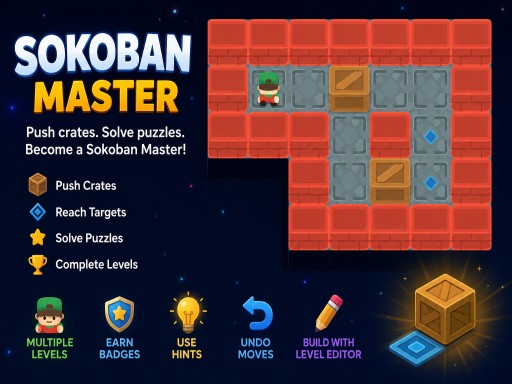
You're about to experience one of the most iconic and brain-teasing puzzle games of all time - Sokoban Master. Inspired by the classic Sokoban experience, this game is all about pushing crates onto their target positions. Sounds simple, but trust us, it's not. Every move matters, as crates can only be pushed, never pulled. You'll need to use your logic and problem-solving skills to progress through the multiple difficulty levels, from beginner-friendly puzzles to more challenging stages.
Game Mechanics in Sokoban Master by Juegos
Controlling the game is straightforward. You can use the Desktop Arrow Keys or WASD to move, and press Z to undo a move. On mobile, simply touch the game board to move, or use the on-screen D-pad controls. Here's a quick rundown of the controls:
- Desktop: Arrow Keys or WASD - Move
- Z - Undo move
- Mobile: Touch the game board to move
- Use the on-screen D-pad controls
Strategy and Progression in Sokoban Master
As you progress through the levels, you'll earn stars by completing them efficiently. You'll also be able to track your moves and progress, unlock achievements, and even create your own puzzles with the built-in Level Editor. To keep you hooked, the game offers a range of challenging stages that will put your brain and logic to the test. With each level, you'll need to think carefully about your moves, using your classic puzzle-solving skills to overcome the obstacles and reach the target positions.
So, what are you waiting for? Head over to Juegos and start playing Sokoban Master today. Challenge your logic and problem-solving skills with this addictive and challenging puzzle game. With its simple yet challenging gameplay, Sokoban Master is the perfect game for anyone looking for a fun and brain-teasing experience that will keep you coming back for more.
Desktop Arrow Keys or WASD mdash Move Z mdash Undo move Mobile Touch click the game board to move Use the on-screen D-pad controls