Controls
- WASD or arrow keys: drive
- Space bar: handbrake
- C: change view
- P: pause
- Hold the left mouse button: manually change view
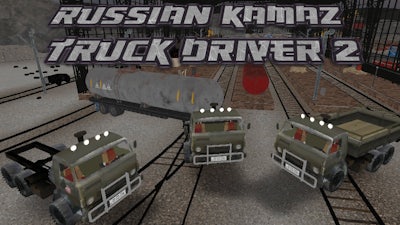


Put your skills to the test in Russian Kamaz Truck Driver 2, where real-life driving meets adrenaline-pumping missions. This 3D truck simulator brings the raw power and rugged charm of a Kamaz truck to your screen. Whether you're navigating tight city streets or wide open roads, this game gives you full control. With a focus on realistic physics and immersive 3D visuals, it's a top pick for fans of car and truck driving games. Available as a 1 Player game, it’s perfect for solo play or as a challenge to master.
Getting the hang of the controls is the first step to mastering Russian Kamaz Truck Driver 2. The intuitive setup allows you to focus on the action without distractions. Here’s how it all works:
Success in Russian Kamaz Truck Driver 2 isn’t just about driving—it’s about strategy. Each mission demands precision, timing, and a steady hand. Focus on route planning and parking accuracy to clear each level efficiently. Save your best times and compare with friends or online. Stick to speed limits to avoid penalties, and always keep an eye out for obstacles. The more missions you complete, the more options unlock, giving you new trucks and challenges. It’s a simulation that rewards practice and improves with every run.
Ready to feel the power of the Kamaz under your control? Jump into Russian Kamaz Truck Driver 2 and see why it's one of the most thrilling 3D truck games available. Find more amazing games at Juegos, the go-to hub for car and truck simulation fans. Start your engine and take the wheel today—Russian Kamaz Truck Driver 2 is waiting for you.