Pixel Ball League – Fast‑Paced 2‑Player Football on Mobile
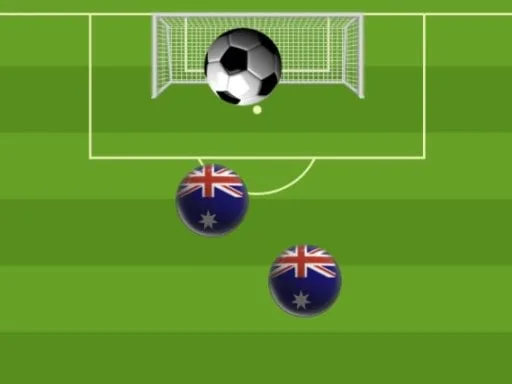
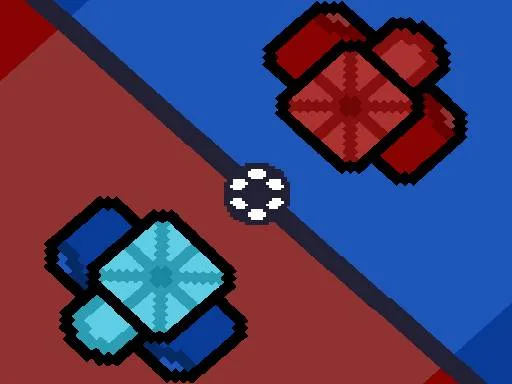
Two friends, one screen, endless rivalry. Pixel Ball League turns a simple ball‑on‑a‑field concept into a razor‑sharp sport showdown that fits in your pocket. Score five goals before your opponent does, and watch the bragging rights pile up. The retro‑pixel art adds charm, but the real draw is the pure, frantic competition that makes every match feel like a championship decider. Whether you’re a casual mobile gamer or a die‑hard football fan, this is the quick‑play fix you didn’t know you needed.
Mechanics
Controls are stripped down to the essentials, so you can focus on precision and timing. Pick your platform and jump straight into the action.
- Keyboard You can move the blue character by pressing the W key
- You can move the red character by pressing the up arrow key
- Mobile You can move the characters with the blue and red keys on the screen
Strategy
Winning isn’t just about raw speed; it’s about reading your opponent’s moves and mastering ball control. Start each round by positioning your defender to block the most direct shots. When you gain possession, aim for the corners – the farther the angle, the harder the save. Power‑up zones appear randomly; snag them to boost shot strength or temporarily freeze the rival. Keep an eye on the timer: the last minute often flips the scoreboard, so conserve energy for a clutch finish. Practice the timing of the “kick” button to perfect curve shots, and you’ll turn ordinary passes into unstoppable goals. As you rack up victories, new stadium skins unlock, giving each match a fresh visual vibe while preserving the core sport feel.
Ready to dominate the leaderboard and prove you’re the ultimate 2 Player football champ? Grab your device, fire up Pixel Ball League, and let the ball do the talking. For more fast‑paced mobile sport titles, swing by Juegos and explore the full catalog.
Keyboard You can move the blue character by pressing the W key You can move the red character by pressing the up arrow key Mobile You can move the characters with the blue and red keys on the screen