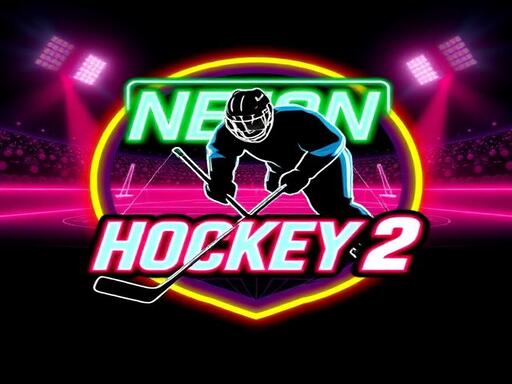
Neon Hockey 2: Speed, Style, and Slick Physics in One
Crackling with color and built for click-to-action fun, Neon Hockey 2 is the ultimate pick-up-and-play battle of speed and skill. This physics-driven, retro-styled air hockey game turns every match into a high-octave show. Designed for 1 Player or 2 Player, it’s perfect for endless sessions with friends, solo challenges against AI, or even a quick pick-me-up between tasks. Don’t just play the game—dominate with precision, timing, and a little luck.
How to Play Neon Hockey 2: Controls and Modes
Whether you're going solo or dueling a buddy, Neon Hockey 2 keeps the action fast and the controls simple. Here’s how to take control:
- PLAYER 1: Left Mouse / Touch left half of screen. WASD Keyboard
- PLAYER 2: Right Touch right half of screen. Arrows – Up, Down, Left, Right. Keyboard
- PAUSE: ESC or P
Win Like a Pro: Tips to Master Neon Hockey 2
Want to stay ahead in this high-speed hockey battle? Master the puck’s bounce, learn the physics, and outmaneuver your opponent. Adjust your mallet size and max puck speed in the settings to suit your style, and take full advantage of the improved AI in 1 Player mode. Each match is a best-of-3-period format, and you’ll need to score 7 goals per period to win. Think like a pro—stay focused, keep moving, and never let the puck get too close.
With smooth animations, retro neon visuals, and addictive gameplay, Neon Hockey 2 is already shaping up as one of the best 2025 games for fans of hockey and soccer alike. It's the kind of game that turns into a 2 Player Games classic—whether on your phone or desktop, against a friend or the AI.
Grab your mallet, hit the rink, and let the neon shine. Challenge your friends, beat the AI, and chase endless fun with Neon Hockey 2 on Juegos. No need to wait—this game is live and ready to play.
PLAYER 1 Left Mouse Touch left half of screen WASD Keyboard PLAYER 2 Right Touch right half of screen Arrows uarr darr larr rarr Keyboard PAUSE ESC or P