Hidden Objects Hello Spring – A Fresh Burst of Puzzle Action
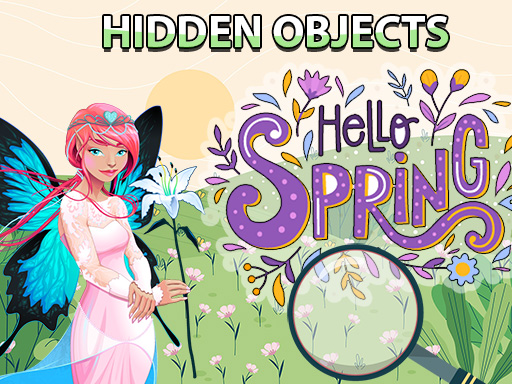
Spring’s in full swing, and the forest is buzzing with life. Hidden Objects Hello Spring drops you into 16 vibrant scenes where every blossom, critter, and twig hides a secret. Spot the items before the clock ticks down, and you’ll feel the rush of a perfect find. Play on any device—this HTML5 title runs smooth on Mobile and desktop alike. If you love quick, satisfying hunts, this is the game that keeps the adrenaline ticking.
Mechanics
Touch‑screen controls keep the action fluid. Tap icons, drag the view, and zoom in with a swipe. The interface is built for both casual clicks and intense, rapid searches.
- List of objects to find is on the left side of the screen
- Find them on the scene before the time runs out
- If you get stuck tap on the hint button
- Use magnifying glass button to zoom the scene you can also drag the screen around in this mode
Strategy
Mastering the hunt means more than just quick eyes. Start each level by scanning the horizon—big silhouettes give clues to smaller hidden items. Prioritize objects that share color palettes; they’re often clustered together. When the timer feels tight, pause, hit the hint, and let the magnifier do the heavy lifting. Upgrade your hint inventory by completing daily challenges; each upgrade reduces the cooldown and opens new bonus scenes. Keep an eye on the “Combo” meter—stringing together flawless finds boosts your score and unlocks exclusive spring-themed backgrounds. The deeper you go, the richer the environments become, so stay sharp and let the seasonal vibe fuel your focus.
Ready to chase blossoms, fluttering butterflies, and sneaky squirrels? Jump into Hidden Objects Hello Spring now and prove you’ve got the eyes of a spring hawk. The adventure lives on Juegos, where every tap brings a fresh surprise. Start hunting today—your next perfect find is just a click away.
List of objects to find is on the left side of the screen Find them on the scene before the time runs out If you get stuck tap on the hint button Use magnifying glass button to zoom the scene you can also drag the screen around in this mode