Controls
- WASD move
- Right mouse button to aim
- Left mouse button to spawn fort part or shoot
- E to cancel building or to pick-up a weapon
- 1234 to switch a weapon
- 5,6, or 7 to build a structure
- Space bar to jump
- L or Escape to toggle mouse cursor lock
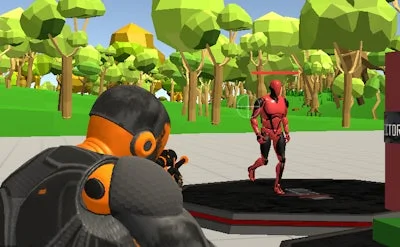


Fort Shooter Simulator drops you into a fast‑paced 3D simulation where every wall, ramp, and turret is yours to place. The core loop mixes frantic gunplay with creative building. You’ll feel the rush of stacking defenses while enemies swarm. The game rewards quick thinking and precise aim. Developed by Juegos, it nails the sweet spot between sandbox freedom and arcade intensity.
Master the controls, then turn chaos into a fortress. Movement is WASD. Aim with the right mouse button. Shoot or spawn a fort piece with the left mouse button. Press E to cancel a build or grab a weapon on the ground. Switch guns using 1‑4. Build structures with 5, 6, or 7. Jump with Space. Lock or unlock the cursor using L or Escape.
Every match starts with a blank slate. Your first priority is a solid base. Drop a low wall, then add a roof before the first wave hits. Use the 5‑6‑7 keys to place barriers that block line‑of‑sight. High ground gives you a shooting advantage, so stack platforms early. Keep an eye on ammo; switch to the appropriate gun with 1‑4 before the enemy type changes. When the map expands, extend your fort outward, but never leave a gap. Upgrade your weapons by picking up dropped gear; the better the gun, the less you need to rely on walls. Remember, building is a defensive act, not a decorative one. A well‑placed turret can turn a losing fight into a win. Progression rewards faster construction speed and stronger explosives, so push your building skills each round. The more you experiment with layout, the more you’ll dominate the arena.
Ready to test your reflexes and construction chops? Grab Fort Shooter Simulator now and start stacking, shooting, and surviving. The battlefield awaits—build fast, aim true, and claim victory.