Click to play
x
Controls

Controls

  • "WASD" or Arrows = drive
  • "Space bar" = handbrake
  • "Enter"= unflip
  • "C" = change camera view
  • "R" = repair
  • "T" = time frame
  • "L" = unlock mouse when driving tank

Terraform Controls

  • WASD = move Camera
  • Left Mouse Button (hold) + mouse axis = rotate camera
  • Left Mouse Button (hold) = drag terraformer shape
  • Middle Mouse Button = increase/decrease deformer height
  • 1 to 5 Key = modify terrain
Derby Crash 4

Derby Crash 4

Derby Crash 4
Click to play
This game is not available on mobile.
rotate phone

Other Games

Game Categories

Derby Crash 4 – Pure Mayhem on Rails

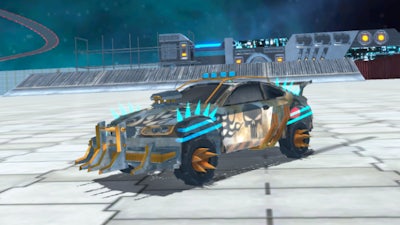
Imagine a 3D arena where a rogue train barrels through wrecked streets, a hulking tank rumbles across the same battlefield, and every car on the map is a potential weapon. Derby Crash 4 throws you into that chaos, letting you smash, drift, and stunt your way to the top of the leaderboard. One‑player mayhem meets simulation depth, and the only rule is: destroy everything in sight.

Controls & Gameplay

Mastering the chaos is simple once you know the layout. Drive with WASD or the arrow keys, hit Space bar for a handbrake slide, and press Enter to flip a flipped car back on its wheels. Switch camera angles with C, patch up damage on the fly using R, and toggle the time frame with T. Want to pilot the tank? Press L to unlock mouse control while you roll. Terraform mode adds a whole new layer: move with WASD, hold the left mouse button and drag to rotate the view, hold it again to sculpt terrain, scroll the middle mouse button to raise or lower the deformer from 1‑5, and use the Key to switch terrain tools. All of this fits into a single, fluid

  • WASD / Arrows – drive
  • Space – handbrake
  • Enter – unflip
  • C – camera view
  • R – repair
  • T – time frame
  • L – tank mouse control
  • Terraform: WASD – move, LMB + mouse – rotate/drag, MMB – height, Key – terrain tool
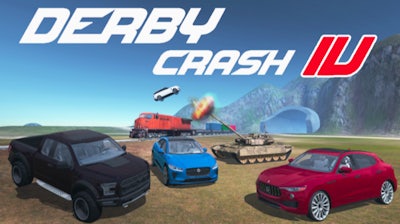
Derby Crash 4 Gameplay

Strategy & Progression

Every match rewards you with wreckage points. Spend them on heavier cars, upgraded engines, or a sturdier tank chassis. Drifting around corners builds momentum for high‑impact stunts, while timing your handbrake slides lets you slip past an incoming train and set up a perfect destroy combo. The Terraform tool isn’t just for show—raise a ramp, launch a car into the air, and watch it smash the train’s engine mid‑flight. Keep an eye on the time frame; a slowed clock means slower collisions, but a fast‑forwarded one lets you unleash rapid‑fire destruction. The deeper you go, the more complex the arena becomes, turning each session into a fresh simulation puzzle.

Ready to dominate the wreckage? Grab Derby Crash 4 now, and let Juegos fuel your appetite for high‑octane demolition. Buckle up, fire up the tank, and turn every crash into a masterpiece of mayhem.

Instructions:

Controls

  • "WASD" or Arrows = drive
  • "Space bar" = handbrake
  • "Enter"= unflip
  • "C" = change camera view
  • "R" = repair
  • "T" = time frame
  • "L" = unlock mouse when driving tank

Terraform Controls

  • WASD = move Camera
  • Left Mouse Button (hold) + mouse axis = rotate camera
  • Left Mouse Button (hold) = drag terraformer shape
  • Middle Mouse Button = increase/decrease deformer height
  • 1 to 5 Key = modify terrain
Customise Consent Preferences Close

We use cookies to help you navigate efficiently and perform certain functions. You will find detailed information about all cookies under each consent category below.

The cookies that are categorised as "Necessary" are stored on your browser as they are essential for enabling the basic functionalities of the site.

Always Active

Necessary cookies are required to enable the basic features of this site, such as providing secure log-in or adjusting your consent preferences. These cookies do not store any personally identifiable data.

Functional cookies help perform certain functionalities like sharing the content of the website on social media platforms, collecting feedback, and other third-party features.

Analytical cookies are used to understand how visitors interact with the website. These cookies help provide information on metrics such as the number of visitors, bounce rate, traffic source, etc.

Advertisement cookies are used to provide visitors with customised advertisements based on the pages you visited previously and to analyse the effectiveness of the ad campaigns.

We also use third-party cookies that help us analyse how you use this website, store your preferences, and provide the content and advertisements that are relevant to you. These cookies will only be stored in your browser with your prior consent.

You can choose to enable or disable some or all of these cookies but disabling some of them may affect your browsing experience.