Controls
Left mouse button
Left mouse button
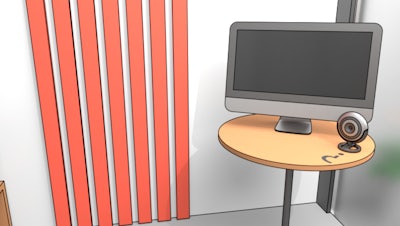


Stuck in a cubicle that feels more like a labyrinth? Computer Office Escape throws you into a cluttered workstation where every monitor, sticky note, and coffee mug hides a clue. The goal? Solve the riddles, outsmart the security system, and click your way out before the deadline hits. If you love logic puzzles that demand a sharp eye and a steady mouse, this game delivers the perfect office‑break experience. It’s not just another “escape the room” gimmick; it’s a tense, humor‑laden sprint through a digital maze that rewards patience and clever thinking.
The interface is stripped down to the essentials: a single point and click cursor does everything. Move the mouse, hover over objects, and left‑click to interact, examine, or combine items. No complicated combos—just pure brain‑teasing. The puzzle design leans heavily on cause‑and‑effect logic, so every click counts.
Start by scanning the room. Every desktop icon, file folder, or blinking LED could be a hidden trigger. Prioritize items that look out of place—a mismatched keyboard key, a coffee stain shaped like a question mark, a USB stick with no label. Use the point and click system to collect these oddities, then test them on nearby terminals. Many puzzles are layered: a simple password prompt may require a code you uncover from a sticky note, which itself is only visible after you move a stack of printed reports. Keep a mental (or physical) inventory; the game doesn’t auto‑track items, so remembering where you found a clue is half the win.
When you hit a dead end, backtrack. The office layout is non‑linear—rooms loop, and some doors stay locked until you solve a remote puzzle on another floor. Pay attention to ambient sounds; a faint printer whirr often signals an active device you can interact with. If a puzzle feels too obscure, try a different angle: rotate a monitor, flip a floppy disk, or examine the underside of a keyboard. The designers love to hide solutions in plain sight, rewarding curious mouse movements.
Progression is marked by a series of escalating challenges. Early rooms test basic object interaction, while later sections introduce timed security scans, multi‑step code decryption, and network‑hacking mini‑games. Each successful escape unlocks a new wing of the office—think server rooms, break rooms, and a CEO’s private office riddled with high‑security locks. Master the rhythm of observation, deduction, and rapid point and click execution, and the final exit will feel like a hard‑won victory.
Ready to outsmart the corporate maze? Jump straight into Computer Office Escape and experience the thrill of a true escape puzzle. Juegos brings you a polished, ad‑free adventure that’s perfect for quick sessions or marathon solving. Click, think, and break free—your desk awaits.
Left mouse button