Bowling Champion: Master the Ropes, Unleash the Champion Within
Are you ready to put your skills to the test and become the ultimate Bowling Champion? Look no further than this addictive 3D bowling game, brought to you by Juegos. With its realistic physics engine and authentic bowling experience, you'll be hooked from the very first roll.
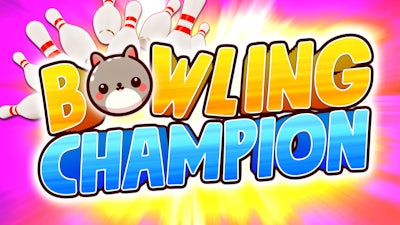
Choose from two exciting game modes: Cup Game mode, where you'll face off against a rival in a best-of-three series, or Trickshot Challenge mode, where you'll need to drop all the pins in a tricky situation. Plus, select from a range of adorable animal characters, each with its own unique style and flair.
How to Play: Master the Controls
- PC Controls: Drag left click to the back and front to throw the bowling ball, and adjust your aim with precision.
- PC Controls (continued): Drag left-click to the left and right to steer the ball to the left or right.
- Mobile Controls: Swipe the screen to the back and front to throw the bowling ball, and tap the left or right sides of the screen to steer the ball.
With simple yet intuitive controls, you'll be dominating the lanes in no time. But don't get too comfortable – our expert AI opponents will push you to the limit and test your skills like never before.
Strategy and Addictiveness: The Secret to Bowling Glory
To become the ultimate Bowling Champion, you'll need to master the art of timing and strategy. Learn to read the lanes, anticipate the spin of the ball, and adjust your aim accordingly. As you progress through the game, the challenges will only get tougher – but the rewards will be all the sweeter.
So what are you waiting for? Download Bowling Champion today and experience the thrill of competition, the rush of victory, and the agony of defeat. With Juegos, you can be sure of a game that's always fresh, always exciting, and always full of action.