Block Blast Puzzle – Fast‑Fire Brick Smashing Fun
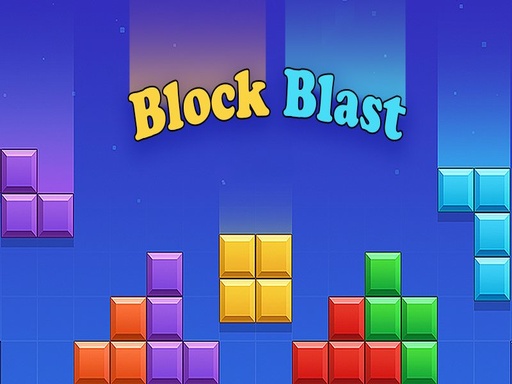
Block Blast Puzzle drops you into a bright grid of Bricks that need to be lined up and cleared. One tap, one swipe, and a row disappears for points. The pressure builds as the board fills, and a single mis‑step can end the match. If you love quick Puzzle action that feels fresh on every play, this is the title that keeps the adrenaline humming.
Mechanics
Controls are stripped down to the essentials. Click, drag, release – that’s all you need on PC. On a phone, a press‑and‑hold does the job. The game runs in pure HTML5, so it loads instantly in any browser and fits perfectly on Mobile or desktop.
- PC Controls Mouse Click Drag — Pick up a block and drag it onto the grid
- Mouse Release — Drop the block into position
- Mobile Controls Touch Drag — Press and hold a block then drag it onto the grid
- Release — Drop the block int
Strategy
Winning isn’t about random drops; it’s about foresight. Aim to fill both rows and columns simultaneously – that creates chain reactions and spikes your score. Keep an eye on the upcoming block shapes; they act like a silent puzzleblock guide, hinting at the next optimal placement. As the grid climbs, prioritize clearing the middle columns first; they open up the most room for future moves. Play each level as a fresh 1 Player challenge, and you’ll notice patterns that turn chaotic grids into tidy lines. The more you master the rhythm, the higher you climb on the Best Games leaderboards that rank the top 2026 games in the .io arena.
Ready to slam bricks and rack up combos? Jump straight into the action at Block Blast Puzzle and see why it’s a staple among .io Games lovers. Add the title to your collection of free html5 games for your website or fire it up on the go. The grid awaits – start clearing now.
PC Controls Mouse Click Drag mdash Pick up a block and drag it onto the grid Mouse Release mdash Drop the block into position Mobile Controls Touch Drag mdash Press and hold a block then drag it onto the grid Release mdash Drop the block int