Controls
- WASD or arrow keys or drag left mouse button = move
- Left mouse button = interact with the in-game buttons
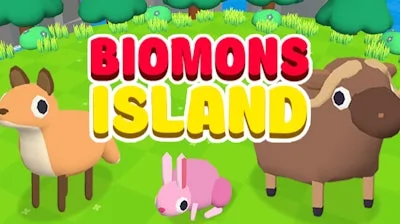


Ever dreamed of running a thriving pet shop, teeming with exotic creatures and happy customers? Look no further than Biomons Island 3D, the latest offering from Juegos! This addictive 3D casual game lets you catch, collect, and care for a wide variety of biomons, from cuddly foxes to majestic polar bears. As you expand your mini mart and attract more visitors, you'll become the ultimate zoo tycoon in this idle animal park.
So, how do you play? Here are the basics:
As you progress through the game, you'll discover new mystery biomons to collect and care for. Each biomons has its own unique characteristics, and there's a customer out there for every single one. To succeed, you'll need to develop a solid management strategy, balancing the needs of your biomons with the demands of your customers. Here are a few tips to get you started:
With its engaging gameplay, colorful 3D graphics, and incremental challenges, Biomons Island 3D is the perfect choice for fans of arcade-style management games. As part of the Juegos portfolio, you can trust that Biomons Island 3D has been designed with quality and fun in mind.
So what are you waiting for? Head over to Biomons Island 3D to start building your dream pet shop today! Or, visit the Juegos homepage to explore more exciting games like Biomons Island 3D.