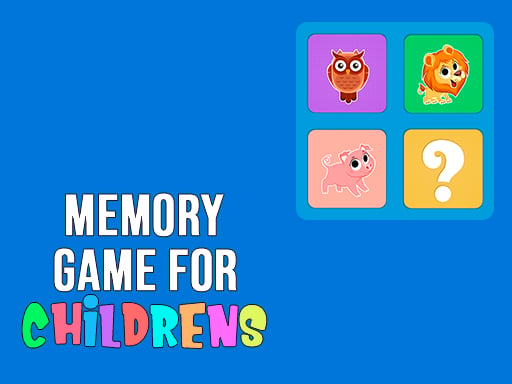
Memory Game for Childrens


Kids love matching colors, shapes, and cute critters. This browser game turns a simple memory test into a vibrant playground where concentration sharpens and smiles grow. Parents and teachers see instant engagement, and players feel the rush of finding that perfect pair. The clean interface works on any device, so a quick break at school or a rainy afternoon at home becomes a learning moment. If you’re hunting for a free online game that feels both playful and educational, this title hits the sweet spot.
Controls are as simple as a click. Flip a card, remember its image, then uncover its twin. Every level adds more cards, tighter grids, and faster timers. The game tracks your moves, rewarding flawless rounds with bonus points. You can pause, reset, or switch difficulty with a single button, making the experience smooth for beginners and challenging for seasoned matchers.
Winning isn’t about luck; it’s about pattern recognition and memory tricks. Start with the corners; they’re easiest to track. Keep a mental map of colors and shapes, then focus on the middle where most mismatches happen. Use the pause button to reset your mental board before a tough round. Challenge yourself by lowering the timer or aiming for a perfect streak. The more you play Memory Game for Childrens, the faster your brain builds connections, making each new level feel like a natural progression rather than a grind. Advanced players often adopt the “pair‑first” technique—identify any two matching tiles early, then use those anchors to locate the remaining pairs. Mixing visual cues (like bright borders) with auditory signals (soft chimes) also boosts recall speed.
Ready to sharpen your kid’s focus while they have a blast? Jump into the game, beat the high score, and share the victory with friends. Play Memory Game for Childrens now on Juegos—the ultimate browser game hub for curious minds. The fun is instant, the learning is lasting, and the competition is always just a click away.

We use cookies to help you navigate efficiently and perform certain functions. You will find detailed information about all cookies under each consent category below.
The cookies that are categorised as "Necessary" are stored on your browser as they are essential for enabling the basic functionalities of the site.
Necessary cookies are required to enable the basic features of this site, such as providing secure log-in or adjusting your consent preferences. These cookies do not store any personally identifiable data.
Functional cookies help perform certain functionalities like sharing the content of the website on social media platforms, collecting feedback, and other third-party features.
Analytical cookies are used to understand how visitors interact with the website. These cookies help provide information on metrics such as the number of visitors, bounce rate, traffic source, etc.
Advertisement cookies are used to provide visitors with customised advertisements based on the pages you visited previously and to analyse the effectiveness of the ad campaigns.
We also use third-party cookies that help us analyse how you use this website, store your preferences, and provide the content and advertisements that are relevant to you. These cookies will only be stored in your browser with your prior consent.
You can choose to enable or disable some or all of these cookies but disabling some of them may affect your browsing experience.