Controls
- WASD or arrow keys = move
- Left-click = interact with the buttons
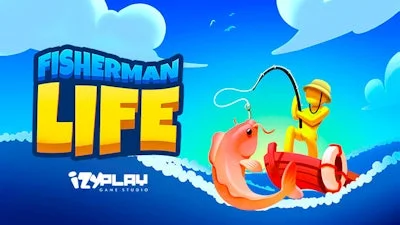


Picture this: a sunny dock, a sturdy boat bobbing gently, and a line cast into sparkling waters teeming with bite‑ready fish. Fisherman Life drops you straight into that scene, letting you run a cartoon‑styled island where every catch fuels your next upgrade. It’s not just about reeling in a trout; it’s about building a thriving coastal hub that feels both easy and rewarding. If you love simulation games that blend chill arcade fun with real‑world strategy, this title nails the sweet spot. Juegos brings the vibe, the visuals, and the vibe that keeps you coming back for more.
Mastering the controls is a breeze. Move with WASD or the arrow keys, then left‑click to interact with every button, dock, and market stall. The core loop revolves around three simple actions:
Success isn’t just about size‑one‑hit catches. Start with common species, sell them quickly, and funnel profits into faster boat engines and higher‑grade rods. Upgrade your dock to unlock arcade-style mini‑challenges that boost daily earnings. Keep an eye on weather patterns; a rainy morning yields bigger bass, while a sunny afternoon favors silver carp. Rotate your building projects—upgrade storage before expanding the fleet—to avoid bottlenecks. These layered goals create a loop that feels fresh each session, turning casual play into a habit.
Ready to cast your line? Jump into Fisherman Life now and see why Juegos proudly showcases this standout simulation. Grab your gear, chart the waters, and start building the island empire you’ve always imagined. The sea’s waiting—don’t let the tide pass you by.