Car Eats Car 3D – High-Octane Cartoon Mayhem
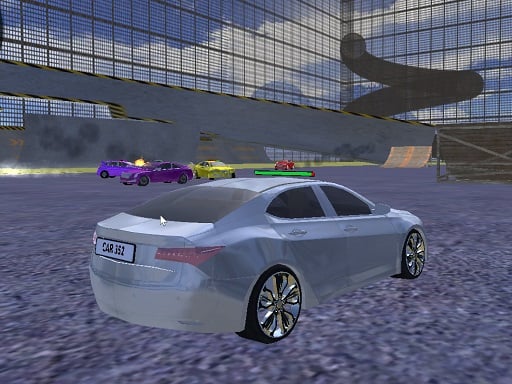
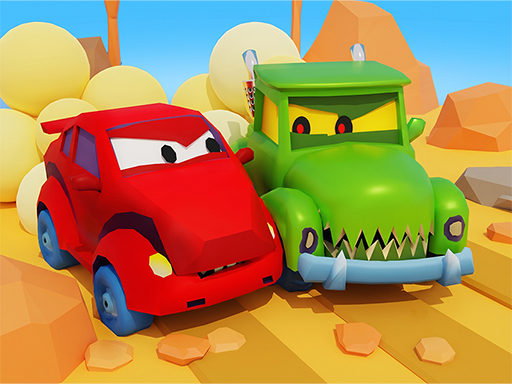
In Car Eats Car 3D you pilot a weapon‑laden ride through a neon‑bright arena where every crash feels like a fireworks show. Alien forces storm the track, giant bosses roar, and only the fastest, most aggressive driver survives. You get to smash, bite, and blast opponents while unlocking crazy cars that look straight out of a cartoon comic. Jump in, crank the turbo, and prove you belong at the top of the 3D battle circuit.
Car Eats Car 3D Controls & Mechanics
Master the on‑screen chaos with a handful of keys. Each command maps to a real‑world action, so you never lose the feel of a true racing showdown.
- Arrow Up / W – Gas
- Arrow Down / S – Brake
- Arrow Left / A – Move left
- Arrow Right / D – Move right
- Space – Bombs
- Left Shift / M – Turbo
Car Eats Car 3D Strategy Tips
Start each match by grabbing the nearest power‑up. The early boost lets you outrun the first wave of alien attackers and claim the high‑value zones. Keep your turbo ready for moments when a boss appears; a well‑timed burst can shatter its armor in a single hit. Upgrade your car’s bite attack after you defeat three minor enemies—this move cuts through clusters of foes and clears a path for your bomb drops. When you’re low on health, pull back to the edges of the arena and let the AI‑controlled traffic absorb enemy fire. Learn each boss’s pattern: most alien commanders pause after a heavy laser sweep, giving you a narrow window to unleash a bomb combo. Finally, experiment with the cartoon‑styled skins; some grant extra shield points, turning a fragile hatchback into a demolition juggernaut.
Ready to dominate the arena? Install Juegos now, fire up Car Eats Car 3D, and start carving your name into the leaderboard. Every victory unlocks a new vehicle, every battle hones your reflexes. The next challenge waits just around the next corner—hit the start button and claim it.
Arrow Up W - Gas Arrow Down S - Brake Arrow Left A - Move left Arrow Right D - Move right Space - Bombs Left Shift M - Turbo